
I love DuckDuckGo. I’ve been using it as my default search engine for years. But I have a dirty secret, and I suspect many of you do too.
!g
It’s muscle memory at this point. I type a query, and before my brain even engages, my fingers add !g at the beginning. I’m telling myself, “I just need Google Maps for this one thing” or “I need specifically Reddit results,” but in reality, I was lazy. I was bypassing the very privacy tool I claimed to support.
I realized I was treating DuckDuckGo less like a search engine and more like a command line launcher for Big Tech.
The Solution: Mild Psychological Warfare
I didn’t want to block Google entirely, sometimes you actually need it. I just wanted a speed bump. A moment of friction to ask: “Do you really need to do that?”
So I built DDG Guilt Trip.
It’s a browser extension that intercepts “lazy bangs” like !g (Google), !yt (YouTube), and !a (Amazon). Instead of taking you straight there, it pauses the request and shows a guilt-trip screen:
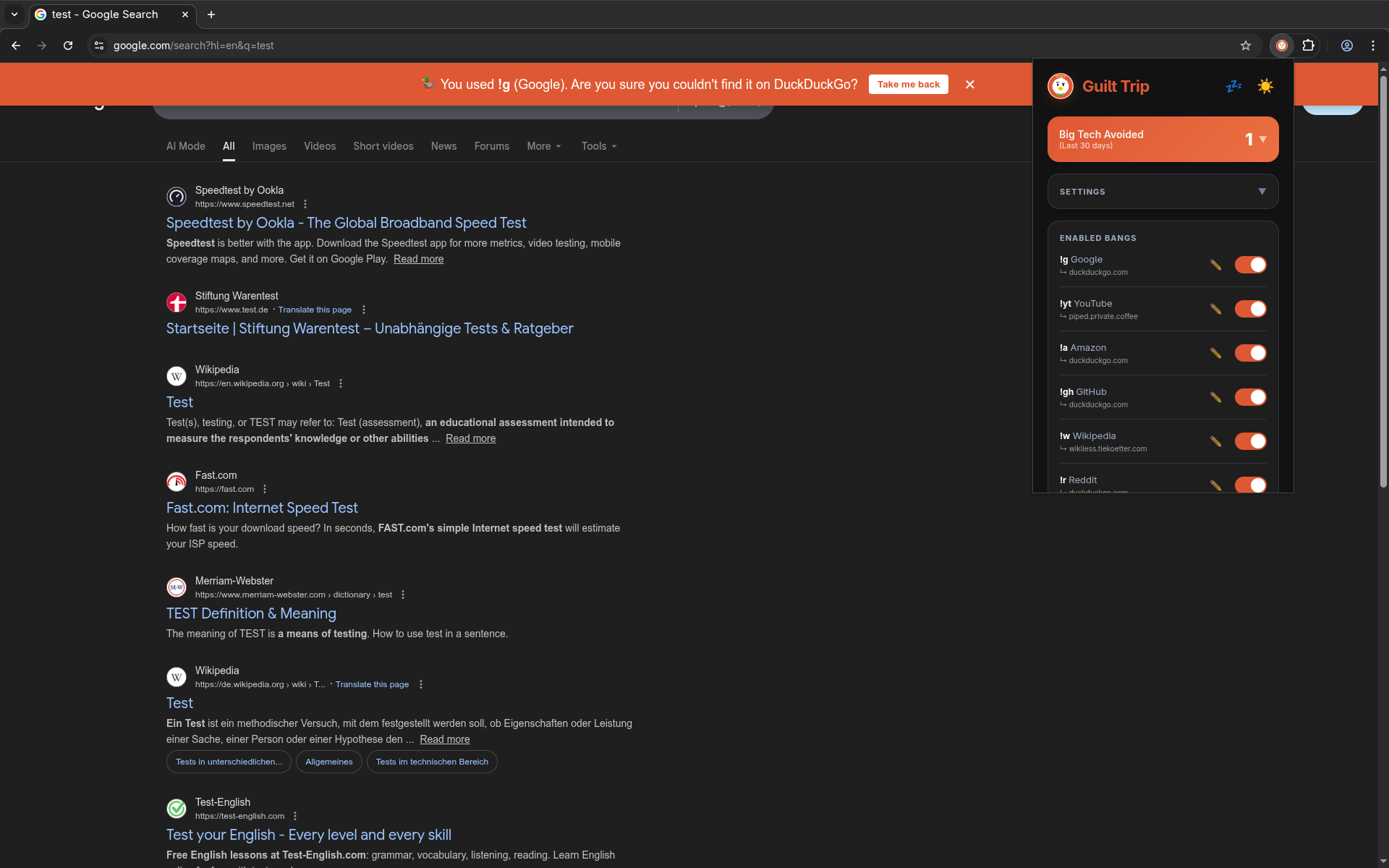
It gives you two options:
- The Walk of Shame: Click “I don’t care about privacy” to proceed to Google/YouTube.
- The Better Way: One-click redirect to a privacy frontend like Piped (for YouTube), Wikiless (for Wikipedia), or just staying on standard DuckDuckGo.
Features
- Privacy Frontends: It doesn’t just block; it offers solutions. If you try to bang
!yt, it suggests Piped.!wsuggests Wikiless. - Stats: It tracks how many times you avoided Big Tech, gamifying your privacy habits.
- Strict Mode: For when you are ready to graduate, this skips the banner and forces the privacy alternative automatically.
Open Source
The project is built with WXT and TypeScript, and it’s fully open source. You can grab it for Chrome, Firefox, or Edge, or check out the code on GitHub.